In this guide
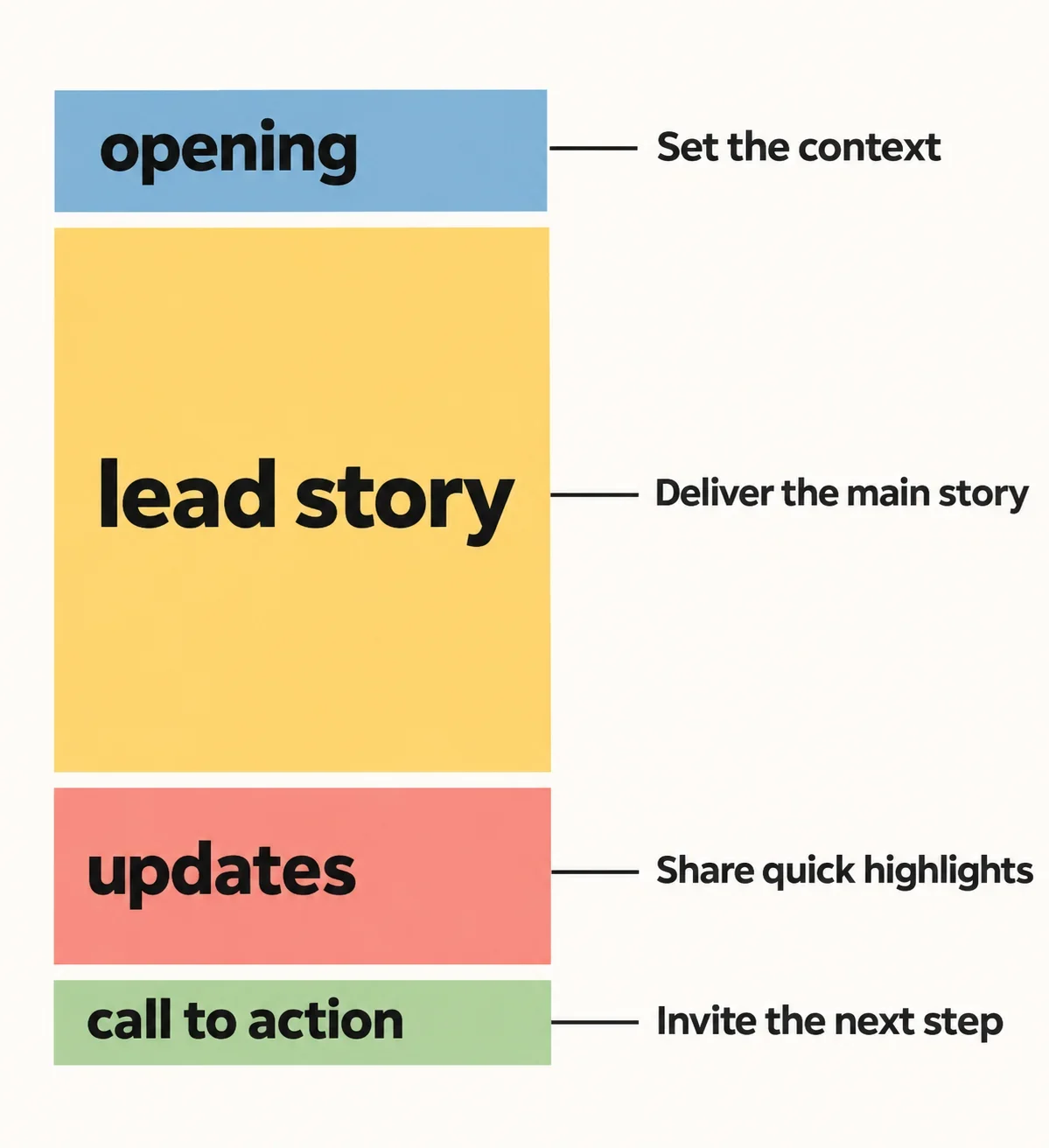
Use a word counter to measure each newsletter section separately, then compare each result with a budget based on that section’s purpose. Give the lead story enough space to explain its value, keep the opening and call to action focused, and move words where they improve the issue.
A newsletter can meet its overall word limit while giving too much space to setup and too little to useful updates. The workflow below uses a manual comparison table and a hypothetical 600-word issue to show how to spot that imbalance and revise it.
Define each section's job before assigning words
Write one sentence describing what readers should understand or do after each section. Make that outcome specific enough to guide an edit: “Understand why the lead story matters” gives you a clearer test than “Introduce our news.”
For a newsletter with an opening, lead story, updates, and call to action, you might assign these jobs:
- Opening: establish the issue’s focus and give readers a reason to continue.
- Lead story: explain the main development, its relevance, and any essential context.
- Updates: communicate smaller developments with enough detail to be useful.
- Call to action: make the desired next step clear.
Rank those jobs before assigning words. If explaining the lead story is the issue’s main purpose, give it the largest allowance. A short opening does not need the same space simply because it occupies a separate section.
Treat each budget as an editing guide. Ask, “What would become unclear if this section were shorter?” If you cannot identify anything essential, consider whether its allowance belongs elsewhere.
Decide what belongs in each count
Choose a counting boundary before measuring anything. A practical approach is to include each section’s heading, body text, visible link labels, and any call to action that belongs within that section. Apply the same rule throughout the issue.
Keep a separate final call to action in its own budget. If the lead story also contains a short action sentence, count that sentence with the lead story; avoid assigning the same text to two sections.
Decide how to handle text outside these boundaries, such as a subject line or footer. Record it separately. If your overall allowance must include that text, reserve room for it before dividing the remaining words among the sections.
Save an original copy before preparing passages for measurement. Then copy each complete section according to your chosen boundary. Include the words readers will see in link labels without adding editing notes or counting-table labels to the passage.
Write your rule above the comparison table so you can repeat the same measurement after editing.
Measure one section at a time
For each measurement, the input is one section’s text, and the output you need is its word count. Follow the counter’s on-screen instructions for entering the passage and obtaining that result. Use the figure identified as the word count.
Work through the sections in their newsletter order:
- Prepare the opening using your agreed counting boundary.
- Enter that passage into the counter as directed by its interface.
- Copy the resulting count into the opening’s row in your table.
- Repeat for the lead story, updates, and call to action, keeping each measurement separate.
Make sure each result belongs to the current passage before recording it. After a revision, measure the revised text again instead of estimating how many words your edit removed.
Keep the section name, purpose, and budget beside each result. This makes the number useful for an editorial decision: you can see what the passage must accomplish as well as how much space it uses.
Compare section counts with their own budgets
Create a manual comparison table with five columns: section, purpose, budget, actual count, and difference. Fill in the purpose and budget first, then add the measured count. This preserves the distinction between your plan and the draft you are evaluating.
Calculate each difference as actual count minus budget. A positive result marks an overrun; a negative result marks unused capacity. For example, an opening measured at 90 words against a 60-word budget has a difference of +30. An updates section at 100 against 180 has a difference of -80.
Read each row against its own job. Treat an overrun as a prompt to examine the section before cutting essential explanation. Treat unused capacity as available space to use when additional detail would help.
Ask, “Is the oversized section repeating something?” and “Is the shorter section missing something readers need?” These answers determine whether to trim, expand, or change the allocation. Check the combined total alongside these individual judgments.
Work through an unequal newsletter budget
Consider a hypothetical 600-word newsletter with unequal budgets. Use these illustrative figures to practice the method; set your own budgets for a real issue.
| Section | Purpose | Budget | Actual count | Difference |
|---|---|---|---|---|
| Opening | Establish focus | 60 | 90 | +30 |
| Lead story | Explain main development | 300 | 350 | +50 |
| Updates | Share useful smaller developments | 180 | 100 | -80 |
| Call to action | Clarify next step | 60 | 60 | 0 |
| Total | Complete issue | 600 | 600 | 0 |
Both the budget and the draft total 600 words, so a whole-issue count alone would not reveal the uneven allocation. The opening exceeds its allowance by 30 words, the lead story by 50, and the updates fall 80 words below theirs.
If the opening contains removable setup and the lead story repeats background, trimming those passages could release 30 and 50 words respectively. That creates room for up to 80 useful update words without increasing the total.
Before using that space, identify the missing information. An update might need an explanation of why a change matters or a clearer instruction for the reader.
If all 80 additional words are useful, the revised counts would be 60, 300, 180, and 60. If the updates need fewer, a shorter issue is also a reasonable outcome.
Trim oversized sections while preserving their purpose
Start with warm-up sentences, repeated claims, and background that does not help readers understand the message or act on it. Check whether the opening previews a point that the lead story then explains twice. Keep the clearest useful version.
For example, a hypothetical opening might say, “We have several updates to share in this issue, and we are pleased to bring you the latest news.” Consider replacing that setup with a direct statement of the issue’s focus, using your actual subject matter.
In the lead story, protect the explanation of what matters and why. Remove a repeated introduction before removing a necessary example. In the call to action, retain the requested action and any instruction readers need to complete it.
If useful content still exceeds the allowance, revisit the budget. A lead story that needs more explanation may deserve space from a section that already accomplishes its purpose. Name the reason for the change, adjust both budgets, and check the total again. Let the essential explanation guide the revised allocation.
Redistribute space and recount the revised issue
Redistribute words according to unmet reader needs. For every proposed addition, finish this sentence: “Readers need this detail so they can…” An example, a clearer explanation, or a concrete next step can justify expansion. Choose the addition that addresses the specific missing information.
Use a final editing pass to:
- Add useful detail to the sections that need it most.
- Recount every edited section using the original boundaries.
- Update actual counts and recalculate differences in the table.
- Add the section counts and any separately budgeted text covered by the overall limit.
- Read the complete issue for a clear main message and next step.
Pay particular attention to transitions after moving or cutting material. A sentence may now refer to an explanation you removed; restore only the context needed to make the remaining passage understandable.
Finish when each section accomplishes its purpose and the total fits your plan. A short section can already be complete. Leave unused capacity alone when another sentence would add length without helping the reader.